You buy a plan, paste its key into an application, and discover the purchase does not cover that endpoint. That is the confusion a GLM 5.3 subscription comparison should prevent. Start with where the work happens, then choose the billing product that explicitly supports it.
This article draws on Z.ai's Coding Plan overview, ZCode's connection documentation, and GLM5's API catalog, reviewed November 13, 2026. It is a product-boundary guide rather than a claim that subscriptions, original-provider tokens, and reseller credits are interchangeable.
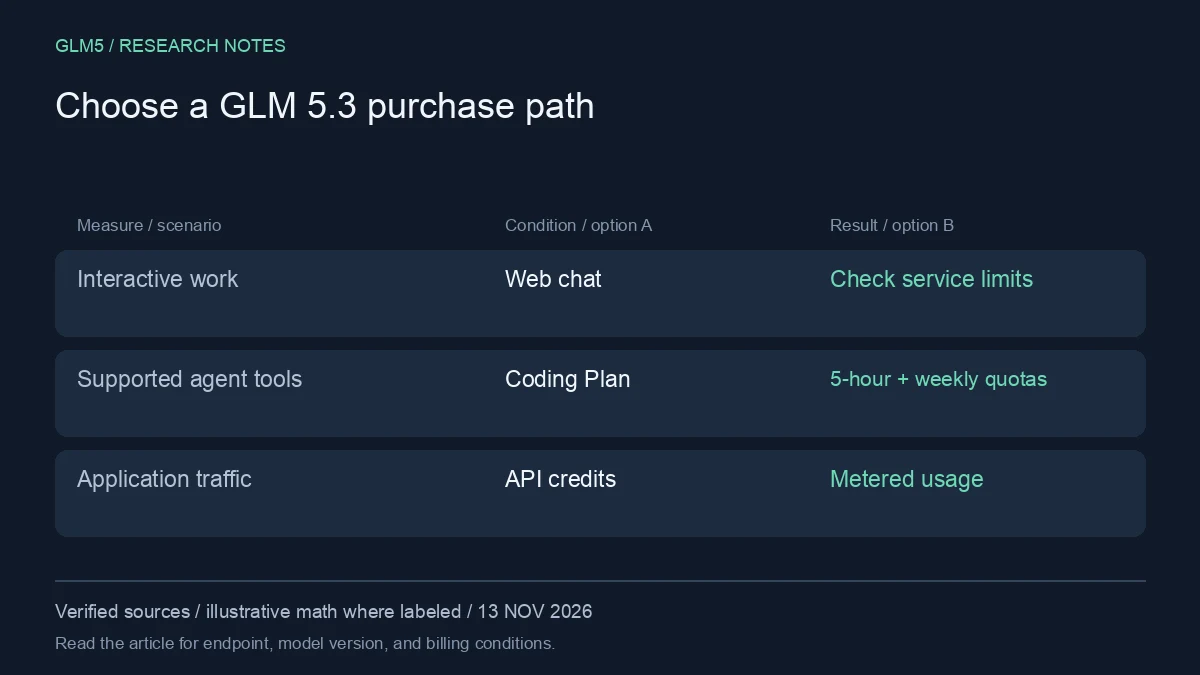
GLM 5.3 subscription: three different purchase paths
| Path | Typical job | What to verify before paying |
|---|---|---|
| Web chat service | Interactive conversations and document work | Included models, message/credit limits, renewal |
| Z.ai GLM Coding Plan | Supported coding and office agent tools | Supported endpoint, five-hour and weekly limits |
| Usage-based API credits | Your application or repeatable automation | Model IDs, token rates, balance, rate limits |
GLM5 is a separate service from Z.ai. Its plans and shared Chat/API credit balance follow its own pricing and billing documentation. Buying a Z.ai Coding Plan does not automatically add a GLM5 balance, and a GLM5 purchase is not a Z.ai Coding Plan.
Understand the two Coding Plan clocks
The official overview lists both five-hour and weekly credit limits. Lite has 2,000 and 10,000 credits respectively; Pro has 12,000 and 60,000; Max has 28,000 and 140,000. These are the original provider's plan credits, not GLM5 credits.
Both limits matter. A large weekly allowance does not guarantee enough capacity for one concentrated session. A user can also stay within every short session limit and still exhaust the weekly total. Read the reset rules in the current plan documentation rather than treating the allowance as a monthly token bucket.
Why prompt counts are a poor estimate
The Coding Plan calculates model consumption using fresh input, cached input, and output multipliers. A short prompt that launches a long agent loop can consume more than a large read-only request. Tool calls can add their own usage.
For a GLM 5.3 subscription, estimate the tasks you perform rather than asking how many generic prompts a tier includes. Record a few working sessions, note the time distribution, and compare actual credit consumption with both limits. A plan should fit your busiest useful session as well as the week as a whole.
When API credits are the cleaner fit
If your software serves end users or runs predictable automated jobs, verify whether the relevant product permits and supports that use. A usage-based endpoint often offers a clearer mapping between request volume and cost, but you still need rate limits, failure handling, and a budget.
Start by listing the model IDs your application requires. Confirm tool support and structured output on the selected endpoint. Check GLM5's API catalog and billing guide if you intend to use GLM5. Do not infer a capability from the branding of the plan alone.
A GLM 5.3 subscription should be chosen for the client you will actually use, with its quota rules checked before a longer commitment.
A practical buying sequence
- Write down the exact client: browser chat, supported agent tool, or your own service.
- Confirm the supported endpoint and authentication mode.
- Run a small task and inspect which account is charged.
- Compare periodic allowances or token rates using actual usage.
- Read renewal, cancellation, and refund terms before choosing a longer commitment.
For a GLM 5.3 subscription, that sequence is more reliable than choosing the biggest advertised token allowance. An annual discount is only useful if the plan covers the workflow you will continue using.
Troubleshooting plan access
If a valid key fails, check whether you selected the Coding Plan connection or general API connection. ZCode documents distinct modes. If the requested model behaves differently than expected, inspect routing: the current Coding Plan documentation describes older GLM model names being routed to newer ones.
If you hit a limit, identify whether it is the short-window allowance, weekly allowance, account rate limit, or a client error. Retrying continuously does not reset a quota. Preserve the task state and resume after the documented recovery condition.
FAQ
Does a GLM 5.3 subscription include unlimited API use?
Do not assume that. Check the specific product's endpoint coverage, usage policy, and allowances.
Are credits portable between services?
No general portability should be assumed. GLM5 and Z.ai maintain separate products and accounts; read each service's own billing rules.
What is the lowest-commitment next step?
Test one real task in the client you intend to use. If that is GLM5, compare its plans and try Chat before estimating a larger commitment.
Sources
- GLM Coding Plan allowances and multipliers
- ZCode connection modes and trial eligibility
- GLM5 API model IDs and credit rates
- Z.ai official API pricing
Source review: November 13, 2026. Prices and allowances are snapshots. Calculations in this article are illustrative, not measured production bills. GLM5 is the publisher of this article and a separate service from Z.ai.